The universal AirDrop
Free AirDrop alternative for Android, iPhone, Mac & Windows
NearBeam is the AirDrop alternative that works on every platform. Send files, folders, and share your screen between Android phones, iPhone, iPad, Mac, and Windows PC — directly over your local Wi-Fi. No cloud, no account, no file size limit.
Why is sharing files between platforms still so hard?
Without NearBeam
With NearBeam
Everything you need to share across platforms
Built to be simple, fast, and private.
Cross-platform file & folder transfer
Send files and entire folders between Android, iPhone, iPad, Mac, and Windows at full Wi-Fi speed. Real-time progress and resume support.
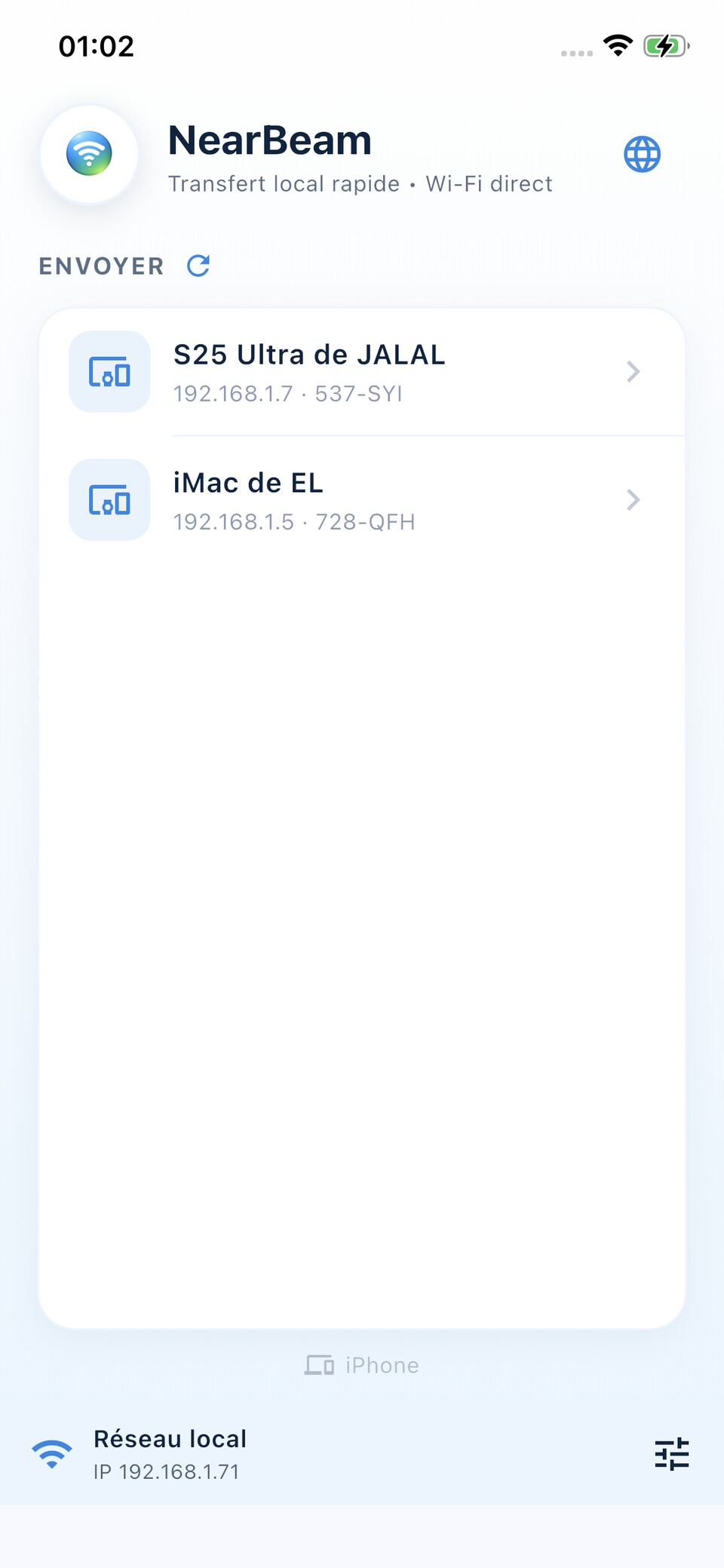
Automatic device discovery
Devices on the same Wi-Fi network find each other automatically. No IP address to type, no pairing code, no QR code required.
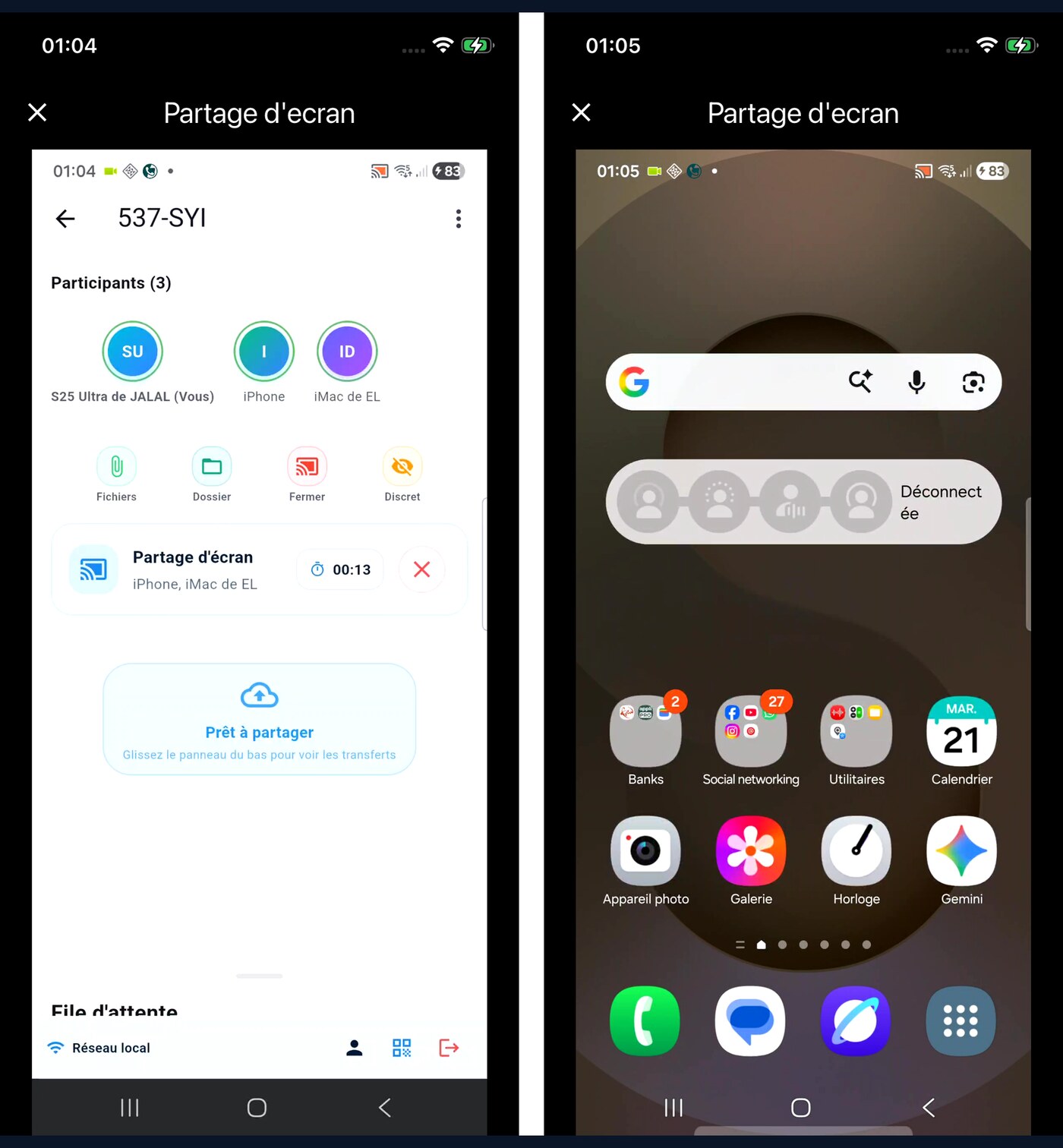
Real-time screen sharing
Stream your screen to other devices using WebRTC. Mirror an iPhone to a PC, or share a Mac screen to an Android tablet — all over local Wi-Fi.
Multi-device sessions
Connect multiple devices in a single session. Send files to one device or broadcast to all at once.
Native Share menu integration
Send files directly from the Share button of any app — gallery, file manager, browser. Pick a NearBeam device and send instantly.
Private by design
No cloud server, no account required. Files transfer directly between devices on your local network. Anonymous mode hides your device name.
Share your screen across platforms
WebRTC-powered streaming for ultra-low latency on local Wi-Fi.
- ✓Real-time streaming with ~50ms latency on local Wi-Fi
- ✓3 quality presets: Low latency, Balanced, High quality
- ✓Cross-platform: Android to iPhone, Mac to PC, iPad to Android, etc.
- ✓Full-screen viewer on the receiving device
- ✓No third-party app required, all built-in
How does NearBeam work?
Open NearBeam
Launch the app on any device — Android, iPhone, iPad, Mac, or Windows. The app automatically finds others on the same Wi-Fi.
Pick a device
Discovered devices appear instantly in the list. Tap one to start a session, then choose files or activate screen sharing.
Done!
The transfer happens directly over your Wi-Fi at full speed. Click any received file to open it.
Your files stay yours
No remote servers
Everything stays on your local Wi-Fi. No data ever leaves your network.
No account needed
No signup, no email, no phone number. Install and use immediately.
Anonymous mode
Hide your device name during sharing for extra privacy.
Available on every platform
Free. No account. Install in seconds.
Frequently asked questions
Install NearBeam on both your Android phone and iPhone. Connect them to the same Wi-Fi network and open the app. The two devices will discover each other automatically. Tap the iPhone in your Android list, choose your files, and send them. Files arrive in seconds at full Wi-Fi speed.
Yes. NearBeam brings AirDrop-style file sharing to Windows, Android, iOS, and macOS. Unlike Apple's AirDrop (Apple-only) or Google Quick Share (Android-only), NearBeam works across every major platform.
No. NearBeam works entirely on your local Wi-Fi network. No internet connection is needed and no data is sent to any cloud server.
No size limit. Send entire folders, large videos, and full photo albums at full Wi-Fi speed.
Yes. NearBeam's WebRTC-powered screen sharing works in any direction: iPhone to PC, Mac to Android, iPad to Windows, and so on. Latency is around 50ms on local Wi-Fi.
No. NearBeam requires no account, no email, no phone number. Just install and use it.
Cloud services upload files to a remote server. NearBeam transfers files directly between your devices over Wi-Fi — your data never leaves your local network. It's faster, private, and works offline.
On Android: Downloads > NearBeam. On iPhone: Files > NearBeam > Received. On macOS and Windows: Downloads > NearBeam.